
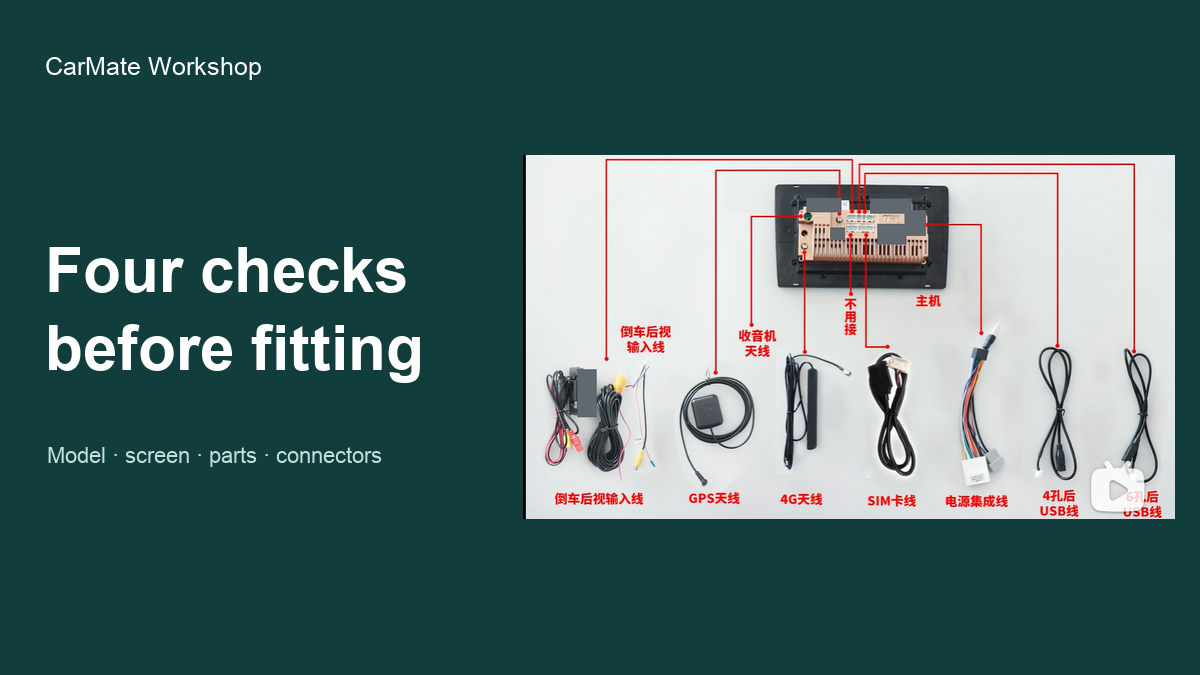
New head unit? Check these four things before fitting it
 CarMate Workshop
New head unit? Check these four things before fitting it
Before connecting power, compare four things with your order: the model and configuration, the screen and casing, the supplied parts, and the connectors. If something is wrong or missing, sort that out while the unit is still on the table—not after the dashboard is apart.
It's tempting to plug in a new screen straight away. But a useful first look needs no wiring at all. Lay the contents out, open the order details, and work through the four items below.
1. Is it the model and configuration you ordered?
Read the model and configuration labels against the order. If you bought an 8GB/128GB version, that is the specification the supplied description should match. This is a label-and-order comparison; testing the actual memory capacity is a separate job.
Photograph a mismatched label or model number and send it to the supplier before fitting. Keep the identifying labels in your own records; cover serial numbers and barcodes in any photos you post publicly.
2. How do the screen and casing look?
Look over the screen, surround and casing while the unit is unpowered. Record any visible cracks, dents or other damage before installation. A clear photo is more useful here than trying to describe a small mark from memory.
3. Are the ordered fitting parts in the box?
Lay out the wiring harnesses, fitting frame, antennas and any ordered interface box. Compare them with your own parts list. The right list is the one for your purchase and vehicle setup, rather than a photo of somebody else's kit.
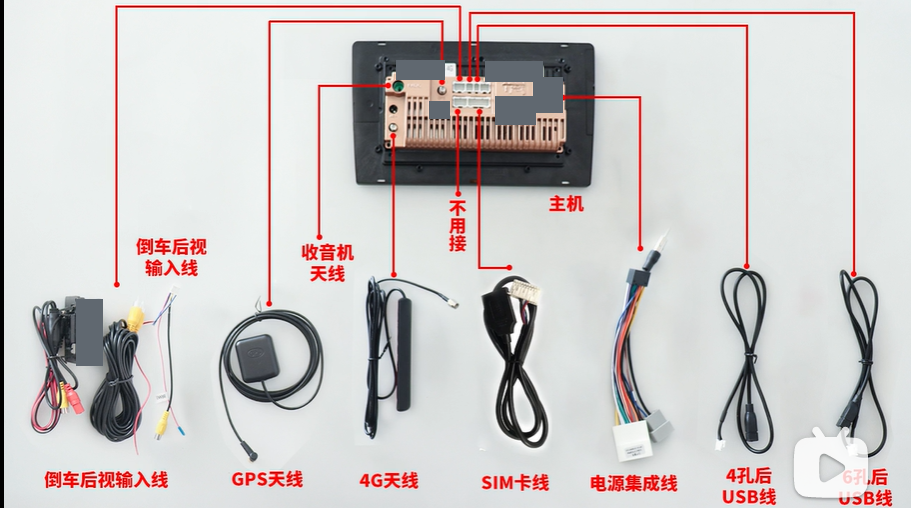
A head unit, wiring leads and fitting accessories laid out for comparison with an order before installation.
If an ordered part is missing or looks different from the listed item, photograph it and resolve the difference before installation. That keeps the question specific: which part was ordered, and what actually arrived?
4. Do the connectors look intact?
Inspect the visible sockets and plugs for damage, then compare their positions and labels with the installation information for your exact unit. Use that guide to identify connections; a similar-looking plug is not a wiring instruction.
What about switching it on?
A basic powered check comes next only if you have the manufacturer's matching power and wiring instructions and can follow them safely. Otherwise, leave it to the installer. Steering-wheel controls, the factory amplifier and the reversing camera belong on the checks for the actual car installation.
Find the obvious problems on the table before fitting the unit in the car. The first job is getting the right, undamaged unit and ordered parts in front of you; wiring can wait until the instructions and conditions are right.
 CarMate
Install guides, diagnostics and common head-unit traps. Take the fix or leave it.
LV6 Grade
336 Fans
1044 Likes
11035 Experience